The Unseen Foundation: Why GovTech Front-End Accessibility QA is Paramount
In an era defined by rapid digital transformation, governments worldwide are increasingly leveraging technology to deliver services, enhance transparency, and foster citizen engagement. This paradigm shift, often termed 'GovTech,' promises unparalleled efficiency and reach. However, a critical, often underestimated, facet of this digital evolution is front-end accessibility Quality Assurance (QA). It's not merely a regulatory checkbox; it's a foundational pillar ensuring that *all* citizens, irrespective of their abilities, can access and interact with essential public services. The digital divide, once conceptual, has very real consequences when government websites and applications are not built with inclusive design at their core. Failing to prioritize GovTech Front-End Accessibility QA effectively excludes millions, undermining the very principles of democracy and equitable access to public resources.
Consider the vast spectrum of citizens interacting with digital government platforms daily. This includes individuals who are blind or have low vision relying on screen readers, those with motor impairments using keyboard navigation or voice control, individuals with cognitive disabilities benefiting from clear language and consistent layouts, and people who are deaf or hard of hearing requiring captions for multimedia content. For each of these groups, a poorly designed, inaccessible digital interface represents a formidable barrier. It can mean the inability to renew a driver's license, apply for benefits, register to vote, or even access critical public health information during a crisis. The stakes, therefore, are extraordinarily high. This article delves into the critical importance of robust GovTech Front-End Accessibility QA, exploring its regulatory imperatives, practical methodologies, and the profound societal benefits it unlocks.
The Mandate for Inclusion: Regulatory Imperatives in GovTech
The commitment to digital accessibility in the public sector isn't merely a best practice; it's a legal obligation in many jurisdictions. These mandates are designed to ensure that digital government services are available to everyone, preventing discrimination against individuals with disabilities. For GovTech entities, understanding and rigorously adhering to these frameworks is non-negotiable.
Section 508 of the Rehabilitation Act
In the United States, Section 508 of the Rehabilitation Act of 1973, as amended, is perhaps the most prominent piece of legislation dictating federal government accessibility. It requires federal agencies to make their electronic and information technology (EIT) accessible to people with disabilities, both federal employees and members of the public. This includes websites, software, hardware, and electronic documents. The refresh of Section 508 harmonized its requirements with the Web Content Accessibility Guidelines (WCAG) 2.0 Level AA, making WCAG the de facto standard for federal digital accessibility. This alignment significantly simplifies compliance efforts by providing a globally recognized, detailed set of technical criteria. For any GovTech vendor, compliance with Section 508 isn't just a competitive advantage; it's a fundamental prerequisite for engaging with federal agencies. Failure to comply can result in lawsuits, reputational damage, and exclusion from lucrative government contracts.
ADA Title II: Extending Reach to State and Local Governments
While Section 508 specifically targets federal entities, Title II of the Americans with Disabilities Act (ADA) extends similar accessibility requirements to state and local governments. The ADA prohibits discrimination based on disability in all services, programs, and activities provided by state and local government entities. Although the ADA itself doesn't explicitly mention websites, courts have consistently interpreted its scope to include online public accommodations. This means that state and local government websites and applications must also be accessible. The Department of Justice (DOJ) has affirmed that the ADA applies to the web, and WCAG 2.0 Level AA is frequently cited as the appropriate technical standard for compliance. This broadens the mandate for GovTech Front-End Accessibility QA beyond federal contracts, encompassing an immense ecosystem of state, county, and municipal digital services. Ignoring ADA Title II requirements can expose government entities and their technology partners to significant legal risks and civil rights complaints.
WCAG: The Global Benchmark for Web Accessibility
At the heart of both Section 508 and ADA Title II compliance is the Web Content Accessibility Guidelines (WCAG), developed by the World Wide Web Consortium (W3C). WCAG provides a comprehensive set of recommendations for making web content more accessible to a wider range of people with disabilities. It is structured around four foundational principles, often remembered by the acronym POUR:
- Perceivable: Information and user interface components must be presentable to users in ways they can perceive. This means providing text alternatives for non-text content, captions for audio and video, and ensuring sufficient color contrast.
- Operable: User interface components and navigation must be operable. This includes making all functionality available via keyboard, providing enough time for users to interact with content, and helping users navigate and find content.
- Understandable: Information and the operation of user interface must be understandable. This involves making text readable and understandable, making web pages appear and operate in predictable ways, and helping users avoid and correct mistakes.
- Robust: Content must be robust enough that it can be interpreted reliably by a wide variety of user agents, including assistive technologies. This means maximizing compatibility with current and future user agents.
WCAG offers three levels of conformance: A (lowest), AA, and AAA (highest). Most legal mandates, including Section 508 and ADA Title II interpretations, require conformance to WCAG 2.1 or 2.2 Level AA. For GovTech developers and QA professionals, a deep understanding of WCAG is indispensable. It serves as the definitive technical blueprint for designing and testing accessible digital experiences.
The Critical Role of Front-End QA in GovTech Accessibility
Front-end development is where the user experience is built. It's the visual interface, the interactive elements, and the navigation pathways that citizens directly engage with. Therefore, Front-End Accessibility QA is not a post-development add-on; it must be an integrated, continuous process throughout the entire software development lifecycle (SDLC). It involves systematically evaluating the user-facing components of GovTech applications and websites against established accessibility standards like WCAG.
What Does Front-End Accessibility QA Encompass?
Robust GovTech Front-End Accessibility QA goes beyond simple automated checks. It's a multi-faceted approach involving:
- Semantic HTML: Ensuring the correct use of HTML elements (e.g., `<button>` for buttons, `<nav>` for navigation, proper heading structure with `<h1>`, `<h2>`, etc.) provides a meaningful structure for assistive technologies.
- Keyboard Navigation: Verifying that all interactive elements are reachable and operable using only the keyboard, with a clear and logical focus order.
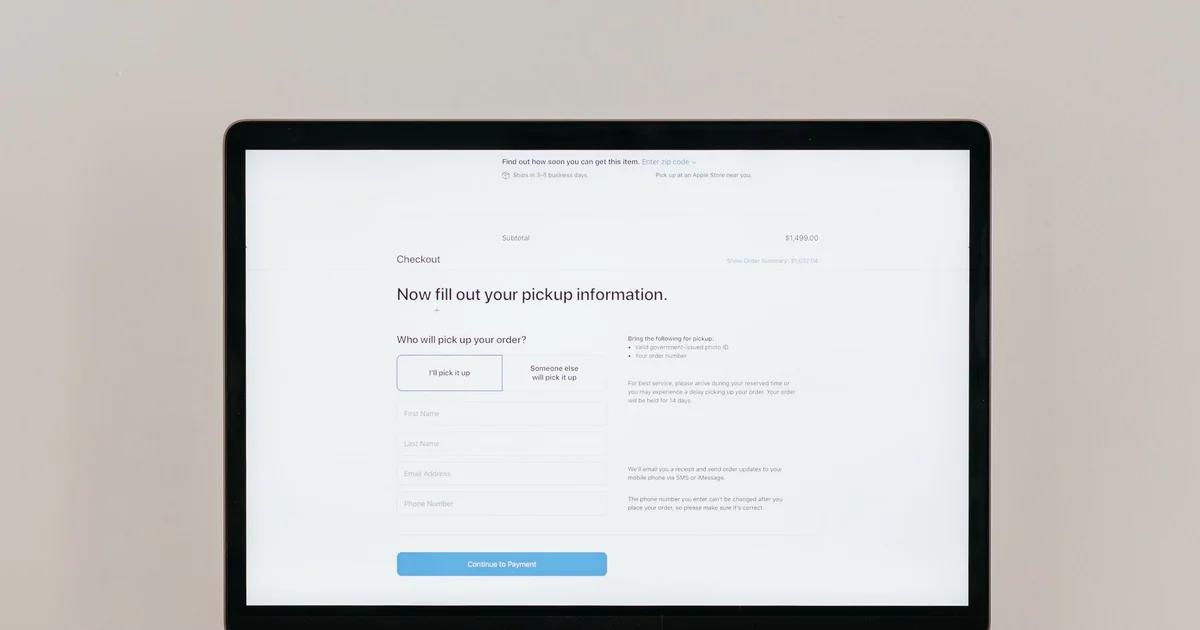
- Accessible Forms: Testing form fields for proper labels, error handling, required field indicators, and focus management.
- Color Contrast: Confirming that text and interactive elements meet WCAG contrast ratios to be perceivable by users with low vision or color blindness.
- Alt Text for Images: Ensuring all meaningful images have descriptive alternative text for screen reader users.
- ARIA Attributes: Correct implementation of WAI-ARIA (Web Accessibility Initiative - Accessible Rich Internet Applications) roles, states, and properties to enhance accessibility for dynamic content and complex UI components.
- Media Accessibility: Providing accurate captions for video, transcripts for audio, and audio descriptions for visual content.
- Responsive Design: Ensuring accessibility features function correctly across various devices and screen sizes.
- Error Identification and Correction: Making sure error messages are clear, descriptive, and programmatically associated with the fields they relate to.
- Language Identification: Specifying the primary language of the page and any language changes within the content.
Without meticulous Front-End Accessibility QA, even the most well-intentioned GovTech solutions can fail to meet basic accessibility requirements, leading to frustrating experiences for citizens with disabilities and potential legal ramifications for the government entity.
Common Accessibility Pitfalls in Government Digital Services
Despite regulatory mandates, many government digital services still struggle with accessibility. Common front-end pitfalls include:
- Poorly Structured Content: Over-reliance on visual layout without proper semantic HTML, making content incomprehensible for screen readers.
- Inaccessible Forms: Missing labels, unclear error messages, or complex CAPTCHAs that are difficult for assistive technologies.
- Keyboard Traps: Situations where keyboard users can navigate into a component but cannot navigate out of it.
- Insufficient Color Contrast: Text that blends too much with the background, rendering it unreadable for many users.
- Missing or Generic Alt Text: Images lacking descriptive alternative text or using generic phrases like 'image' or 'picture'.
- Dynamic Content Issues: Updates to content (e.g., live search results, alerts) that are not announced to screen reader users.
- Reliance on Mouse-Only Interactions: Functionality that can only be activated by clicking, excluding keyboard and voice users.
- Non-Descriptive Link Text: 'Click here' or 'Read more' links without context, confusing users of assistive technologies.
- Complex or Inconsistent Navigation: Disorienting menu structures or inconsistent layout that hinder navigation.
- Untested Third-Party Widgets: Integrating external components (e.g., chat bots, embedded maps) that are not themselves accessible.
Identifying and rectifying these issues early in the development cycle through rigorous Front-End Accessibility QA is far more cost-effective than attempting remediation after deployment.
Strategies for Robust GovTech Front-End Accessibility QA
Achieving high levels of accessibility conformance requires a strategic, multi-pronged QA approach that combines various testing methodologies.
1. Automated Accessibility Testing
Automated tools can rapidly scan web pages for many common accessibility violations, such as missing alt text, insufficient color contrast, or incorrect ARIA attribute usage.
- Benefits:
- Speed: Quickly analyze large numbers of pages.
- Early Detection: Integrate into CI/CD pipelines for early issue identification.
- Consistency: Apply uniform checks across all digital assets.
- Cost-Effective: Reduces manual effort for repetitive tasks.
- Limitations: Automated tools can typically only catch around 20-50% of WCAG issues. They cannot assess context-dependent problems, logical tab order, or overall user experience.
- Tools: Axe Core, Lighthouse, WAVE, Siteimprove.
Automated testing is an excellent first line of defense, providing a baseline check and identifying low-hanging fruit for developers to fix. However, it should never be the sole method of accessibility QA.
2. Manual Accessibility Testing
Manual testing, often performed by human testers with a deep understanding of WCAG, is crucial for catching issues that automated tools miss. This involves direct interaction with the digital product.
- Key Activities:
- Keyboard Navigation Audit: Thoroughly testing all interactive elements using only the keyboard (Tab, Shift+Tab, Enter, Spacebar, arrow keys). Verifying focus visibility and logical tab order.
- Screen Reader Testing: Navigating the website or application using popular screen readers (e.g., JAWS, NVDA, VoiceOver) to experience the content as a visually impaired user would. This is critical for evaluating semantic structure, alternative text, and ARIA implementation.
- Color Contrast Verification: Manually checking color combinations, especially for complex graphics or overlays, using dedicated contrast checkers.
- Content Readability: Assessing language clarity, consistency, and simplicity, which is particularly important for users with cognitive disabilities.
- Form Field Validation: Ensuring labels are correctly associated, error messages are clear and announced, and required fields are indicated.
- Multimedia Checks: Verifying the accuracy and synchronization of captions, transcripts, and audio descriptions.
- Benefits: Catches nuanced and context-specific issues, provides a more holistic user experience perspective.
- Limitations: Time-consuming, requires skilled testers.
Manual testing is indispensable for achieving genuine WCAG conformance and ensuring a truly inclusive user experience.
3. User Testing with Assistive Technologies
The most authentic form of accessibility QA involves testing with actual users who have disabilities and rely on assistive technologies (AT).
- Methodology: Recruit participants with various disabilities (e.g., visual impairments, motor impairments, cognitive disabilities) and observe them interacting with the GovTech product using their preferred AT.
- Benefits:
- Authentic Insights: Uncovers real-world usability challenges and unexpected barriers that expert testers might overlook.
- Empathy Building: Helps development teams understand the direct impact of their work.
- Validation: Confirms whether solutions truly meet the needs of target users.
- Considerations: Can be challenging to recruit diverse participants, requires careful planning and ethical considerations.
Integrating user testing provides invaluable feedback and ensures that the GovTech solution is not just technically compliant but also practically usable and effective for its intended audience.
4. Integrating Accessibility into the CI/CD Pipeline
For modern GovTech development, accessibility QA should not be an afterthought but an integral part of the Continuous Integration/Continuous Delivery (CI/CD) pipeline.
- Process:
- Automated Checks in Build: Incorporate automated accessibility linters and scanners into pre-commit hooks or build processes.
- Accessibility Unit Tests: Developers write unit tests for UI components that check for specific accessibility properties.
- Regression Testing: Ensure that new features or bug fixes do not inadvertently introduce accessibility regressions.
- Accessibility Gates: Configure the pipeline to prevent code deployment if critical accessibility violations are detected.
- Benefits:
- Shift Left: Identifies and fixes issues early, reducing remediation costs.
- Continuous Compliance: Maintains an ongoing state of accessibility.
- Developer Empowerment: Encourages developers to take ownership of accessibility.
- Faster Feedback: Provides immediate feedback on accessibility changes.
By embedding accessibility checks into the CI/CD pipeline, GovTech organizations can ensure that accessibility is a continuous quality attribute, rather than a one-time audit.
The Profound Benefits of an Accessible GovTech Ecosystem
Beyond legal compliance, investing in robust GovTech Front-End Accessibility QA yields a multitude of benefits for government entities, citizens, and society at large.
1. Enhanced Citizen Engagement and Trust
When government digital services are accessible, more citizens can independently access information, complete transactions, and participate in civic life. This fosters trust in government and enhances civic engagement. Citizens who feel included and empowered are more likely to interact positively with public services.
2. Reduced Legal and Reputational Risk
Compliance with Section 508, ADA Title II, and WCAG significantly mitigates the risk of costly lawsuits, legal settlements, and public relations crises. Proactive accessibility efforts demonstrate a commitment to civil rights and reduce potential financial liabilities. In the public sector, negative publicity related to discrimination can be particularly damaging to public confidence.
3. Broader Audience Reach
Designing for accessibility inherently improves usability for *everyone*. Features like clear navigation, well-structured content, and keyboard operability benefit not only individuals with disabilities but also older adults, users with temporary impairments (e.g., a broken arm), and those in challenging environments (e.g., bright sunlight, slow internet connections). This expands the reach and utility of GovTech solutions to a wider demographic.
4. Improved SEO and Discoverability
Many accessibility best practices overlap with search engine optimization (SEO). Semantic HTML, descriptive alt text, proper heading structures, and clear link text all contribute to better search engine indexing and discoverability. Accessible GovTech websites are often easier for search engines to crawl and understand, leading to higher rankings and greater visibility.
5. Cost Savings in the Long Run
While initial investment in accessibility might seem significant, it pales in comparison to the costs of remediation after deployment, which can include redesigns, retesting, legal fees, and reputational damage. 'Shifting left' accessibility – integrating it early into the SDLC – drastically reduces overall development and maintenance costs. Addressing accessibility concerns from the outset is always more economical than fixing them later.
6. Innovation and Better Design
Focusing on accessibility encourages developers and designers to think creatively about user interfaces and interactions. It often leads to more thoughtful, robust, and innovative solutions that benefit all users. Inclusive design principles push the boundaries of conventional design, resulting in superior products.
Overcoming Implementation Challenges in GovTech Accessibility
Despite the clear benefits, implementing comprehensive GovTech Front-End Accessibility QA can present challenges.
- Lack of Awareness and Training: Many development teams lack sufficient training in accessibility standards and testing methodologies. Solution: Invest in continuous training for designers, developers, and QA engineers on WCAG, Section 508, and assistive technologies.
- Budgetary Constraints: Governments often operate under tight budgets, making upfront investment in accessibility seem difficult. Solution: Advocate for accessibility as a critical risk mitigation and long-term cost-saving measure, emphasizing legal compliance and broader citizen reach.
- Legacy Systems: Modernizing legacy GovTech platforms to be accessible can be complex and expensive. Solution: Adopt a phased approach, prioritizing high-traffic or critical components first. Implement accessibility into all new development from inception.
- Complex Procurement Processes: Government procurement often struggles to adequately specify and evaluate accessibility requirements for third-party vendors. Solution: Develop clear, enforceable accessibility clauses in all RFPs and contracts, requiring adherence to WCAG 2.1 AA and demonstrable QA processes.
- Integration with Existing Workflows: Incorporating accessibility into existing Agile or Waterfall methodologies can be challenging. Solution: Embed accessibility 'champions' within development teams, integrate accessibility user stories into backlogs, and make accessibility a definition of 'done' for all features.
Addressing these challenges requires a commitment from leadership, a culture of inclusivity, and a strategic, well-resourced approach to accessibility.
The Future of Inclusive Digital Government
As technology continues to advance, so too will the expectations for digital government services. The future of GovTech is intrinsically linked with its ability to be truly inclusive. Emerging technologies like AI, virtual reality, and advanced data analytics will present new accessibility challenges and opportunities. Proactive GovTech Front-End Accessibility QA will be vital in ensuring these innovations serve all citizens, rather than inadvertently creating new barriers.
Ultimately, accessibility in GovTech is about upholding fundamental civil rights and ensuring that the promise of digital government—efficiency, transparency, and engagement—is extended to every member of society. By prioritizing robust Front-End Accessibility QA, governments can build digital infrastructures that are not only technologically advanced but also profoundly equitable and universally beneficial. It's an investment in democracy, in civic participation, and in the fundamental right of every individual to access the services their government provides. This is not merely a technical task; it's a moral imperative and a cornerstone of effective, modern governance. Organizations that embrace this ethos will lead the way in shaping truly inclusive digital societies for decades to come.